

Blog
Top 10 Fall-Themed SVG Cut Files for Your Cricut and Silhouette

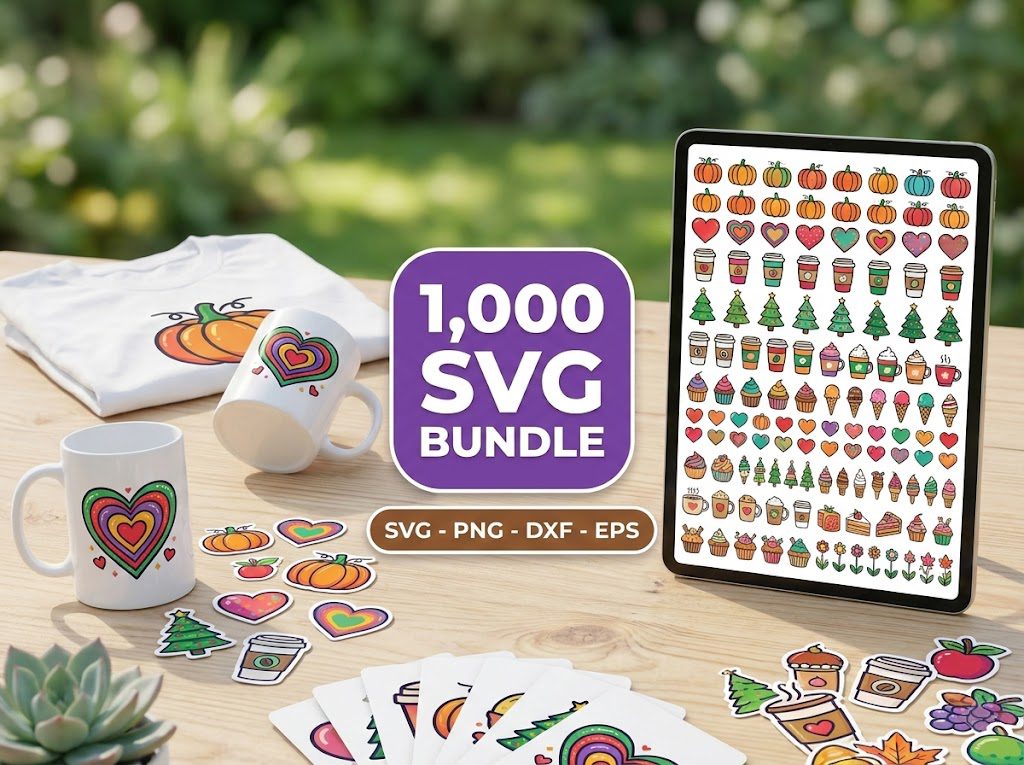
As the leaves begin to change and the air turns crisp, I always find myself excited for the fall season. However, deciding on the perfect fall-themed SVG cut files for my projects often feels overwhelming. With so many options out there, it can be a struggle to find the designs that truly capture the essence of autumn. If this resonates with you, you’re not alone!
In this post, we’ll explore the top ten fall-themed SVG cut files perfect for your Cricut or Silhouette machine. These files will help you create stunning autumn crafts that celebrate the season’s spirit. From pumpkins to cozy quotes, there’s something for everyone!
How to Use Fall SVG Files with Your Cricut
Using fall-themed SVG cut files with your Cricut or Silhouette is a fun and rewarding process. Here’s a simple step-by-step guide:
Step 1: Select Your Fall SVG
Begin by browsing through our extensive library of fall-themed SVG files. Choose designs that resonate with your vision for your project. Whether it’s a cute pumpkin graphic or a heartfelt autumn quote, the selection is vast!
- Consider your project type (e.g. decor, apparel, cards).
- Look for files that allow for easy layering if you plan to use multiple colors.
Step 2: Open Your Design Software
Once you’ve selected your SVG, open your design software (Cricut Design Space or Silhouette Studio). This is where the magic happens!
- If you’re using Cricut, ensure your software is updated to the latest version for compatibility.
- For Silhouette users, make sure to check the software version and update if necessary.
Step 3: Import the SVG
Import your selected SVG file into the software. For Cricut, click on “Upload” and choose your file. In Silhouette, go to “File” and then “Import.”
- Make sure the SVG is properly sized for your project.
- Check for any unnecessary layers that might complicate your cut.
Step 4: Personalize to Your Liking
Feel free to add your personal touch! Change colors, adjust sizes, or add text. Personalization allows you to create a unique project that reflects your style.
- Consider using a color palette that matches the fall theme.
- Experiment with fonts to enhance your design.
Step 5: Adjust Cutting Settings (if needed)
Before cutting, check your machine settings. Different materials require different settings. For fall-themed projects, you might use:
- Glitter vinyl: Use a fine-point blade and set the material to vinyl.
- Heat transfer vinyl: Set to heat transfer and adjust the pressure as needed.
- Cardstock: Use a standard blade with medium pressure.
Step 6: Load Your Material
Load the material you’ve chosen for your project. Make sure it’s securely placed on the cutting mat to prevent any slipping during the cut.
- For cardstock, ensure the mat is sticky enough to hold the paper firmly.
- For vinyl, check for air bubbles that might affect the cut quality.
Step 7: Initiate Cutting Process
Once everything is set, start the cutting process. Keep an eye on the machine to ensure everything is proceeding smoothly.
- Be ready to pause if something seems off.
- After cutting, gently remove your material from the mat.
With these steps, you’re well on your way to creating stunning autumn crafts using fall-themed SVG cut files. Remember, practice makes perfect, and don’t hesitate to experiment with different designs and materials!
Here are our top ten favorite fall-themed SVG cut files that you can use to create beautiful projects this season:
- Autumn Leaves – Perfect for wall decor or greeting cards.
- Pumpkin Patch – A versatile design for decorations or apparel.
- Thankful & Grateful – Ideal for Thanksgiving-themed crafts.
- Fall is in the Air – A great addition to home decor items.
- Cozy Sweater Weather – Perfect for t-shirts or hoodies.
- Harvest Blessings – Great for signs and seasonal decor.
- Acorns and Oaks – Cute for children’s crafts.
- Hot Cocoa and Chill – A cozy design for winter-themed projects too!
- Gather Together – Perfect for family gatherings.
- Falling Leaves – Ideal for any autumn project.
These designs are not only beautiful but also easy to work with, making them perfect for crafters of all skill levels. Remember, our SVG files for Cricut are instantly available for download, so you can start crafting right away!
Using the right materials can make a significant difference in the outcome of your projects. If you’re using glitter vinyl, for example, ensure you adjust your cutting settings to accommodate the thickness. For heat transfer vinyl, remember to mirror your designs before cutting!
🎁 Get FREE Designs Today!
Perfect for testing with your Cricut or Silhouette machine before committing to a paid bundle.
500,000+ Ultimate SVG Mega Bundle
Only $29.99
4.96/5 stars from 26 reviews — the most complete SVG library for Cricut crafters. Just $0.000059 per file.
4000+ Magical Mega SVG Bundle
Only $7.99
5.00/5 stars — 4,000+ designs for just $0.002 per file.
Frequently Asked Questions
What are fall-themed SVG cut files?
Fall-themed SVG cut files are digital designs specifically created to capture the essence of autumn, including pumpkins, leaves, and seasonal quotes.
Can I use these SVG files for commercial purposes?
Yes! All SVG files from BundleArtSVG come with a commercial use license, allowing you to use them for selling your crafted items.
What materials can I use with these SVG files?
You can use various materials like adhesive vinyl, heat transfer vinyl, cardstock, and more with your Cricut or Silhouette machines.
How do I download SVG files after purchasing?
After payment, you will receive an instant digital download link via email, allowing you to access your files immediately.
Are there free fall-themed SVG files available?
Yes! You can browse our collection of free SVG downloads to try out some designs before purchasing.