

Blog
Top 10 Fall SVG Cut Files for Your Cricut & Silhouette Projects

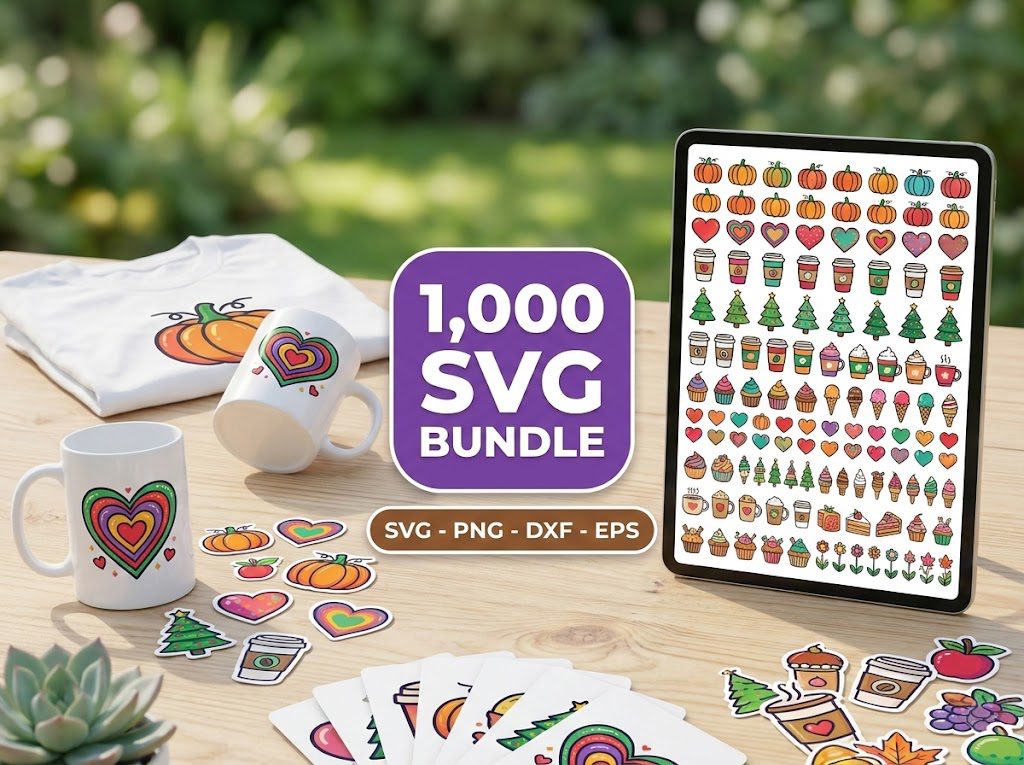
As the crisp fall air starts to roll in, many crafters are on the hunt for the perfect fall SVG cut files to elevate their seasonal projects. I remember my first fall crafting season; I was overwhelmed by all the options but struggled to find the perfect files for my Cricut machine. It felt like a daunting task trying to sift through endless designs to find something that truly captured the essence of autumn.
Luckily, I discovered an amazing array of fall SVG cut files that transformed my projects into stunning pieces of art. Today, I want to share my top picks with you, so you can create beautiful fall-themed crafts without the hassle.
Free SVG Cut Files for Fall
If you’re looking to kickstart your fall crafting, free SVG cut files are a fantastic option. These files are perfect for creating decorations, gifts, and fun projects for the whole family. The best part? They allow you to test designs without spending a penny! Here are some fantastic free options:
- Fall Leaves SVG: Perfect for wall art or table decor.
- Thankful & Blessed SVG: A great addition to your Thanksgiving decorations.
- Pumpkin Spice Everything SVG: A fun way to celebrate the season.
These free designs not only help you save money but also allow you to experiment with your Cricut or Silhouette machine. New designs are added weekly, so keep an eye out for fresh options!
What You’ll Need
Before diving into your fall projects, gather the necessary materials. Here’s a quick checklist:
- Cricut or Silhouette Machine: Make sure your machine is ready to cut.
- Vinyl or Cardstock: Choose the material that suits your project best.
- Weeding Tools: Essential for removing excess material from your designs.
- Transfer Tape: Helpful for applying delicate designs.
Having these tools on hand will make your crafting experience smooth and enjoyable!
How to Download the Free Fall SVG Files
Downloading your fall SVG cut files is a breeze! Follow these steps:
Step 1: Visit the Freebies Section
Go to the free SVG downloads page on BundleArtSVG.
- Browse through the collection of free designs.
- Select the fall SVG files that catch your eye.
Step 2: Add to Cart
Once you’ve chosen your files, add them to your cart. You won’t be charged!
- Check for any promotional codes that may apply.
- Confirm the total is $0 before proceeding.
Step 3: Checkout
Complete the checkout process by providing your email address. Your files will be sent directly to your inbox.
- Make sure to check your spam folder if you don’t see the email right away.
- Download the files to your computer for easy access.
Step 4: Unzip the Files
Most SVG files come in a zipped folder. You’ll need to unzip it before using.
- Right-click on the folder and choose “Extract All.”
- Open the unzipped folder to access your SVG files.
Free Fall SVG Files for Cricut Projects
Now that you have your fall SVG cut files, it’s time to create! Here are some project ideas to inspire you:
- Fall-Themed Wall Art: Use fall colors and designs to create beautiful wall decor.
- Custom Mugs: Add a fun fall saying to your favorite mug for coffee or hot cocoa.
- Thanksgiving Place Cards: Personalize place cards for your Thanksgiving dinner.
Each of these projects can be customized with different materials, colors, and sizes, making your crafting experience unique and personal.
How to Use These Fall SVG Files
Using your fall SVG cut files is straightforward. Here’s how to do it:
- Upload to Design Space: Open Cricut Design Space or Silhouette Studio and upload your SVG file.
- Adjust Settings: Set the material settings based on what you’re using (e.g., vinyl, cardstock).
- Cut the Design: Follow the prompts on your machine to cut the design.
- Weed Excess Material: Use your weeding tools to remove unwanted pieces from your design.
- Apply Transfer Tape: If using vinyl, apply transfer tape to move the design to your project surface.
How to Access the Fall SVG Cut Files
You can access a wide range of fall SVG cut files easily through BundleArtSVG. In addition to free designs, we offer premium bundles that provide exceptional value:
500,000+ Ultimate SVG Mega Bundle
Only $29.99
4.96/5 stars from 26 reviews — the most complete SVG library for Cricut crafters. Just $0.000059 per file.
4000+ Magical Mega SVG Bundle
Only $7.99
5.00/5 stars — 4,000+ designs for just $0.002 per file.
Best Free Fall SVG Files for Cricut
Here are some of the best free fall SVG files that you can download and use immediately:
- Autumn Leaves Collection: A beautiful set of leaf designs perfect for any fall project.
- Harvest Moon SVG: Ideal for creating festive decorations.
- Fall Quotes Bundle: Features popular sayings that capture the spirit of the season.
These files are available for instant download, so you can start crafting right away! Remember to check back regularly for new additions to our collection.
🎁 Get FREE Designs Today!
Perfect for testing with your Cricut or Silhouette machine before committing to a paid bundle.
Frequently Asked Questions
What are SVG files?
SVG files are scalable vector graphics that can be resized without losing quality. They are perfect for cutting machines like Cricut and Silhouette.
Can I use free SVG files for commercial purposes?
It depends on the licensing terms provided with each file. Always check the usage rights before selling items made with free SVG files.
How do I upload SVG files to my cutting machine?
For Cricut, open Design Space and click on “Upload.” For Silhouette, open the software and drag the SVG file into the workspace.
Are the SVG files compatible with all cutting machines?
Most SVG files are compatible with popular cutting machines like Cricut and Silhouette. However, always check the file format and compatibility before purchasing or downloading.
How can I edit SVG files?
You can edit SVG files in design software like Cricut Design Space or Silhouette Studio. You can resize, change colors, and layer designs as needed.