

Blog
Top Fall SVG Cut Files for Your Cricut and Silhouette Projects

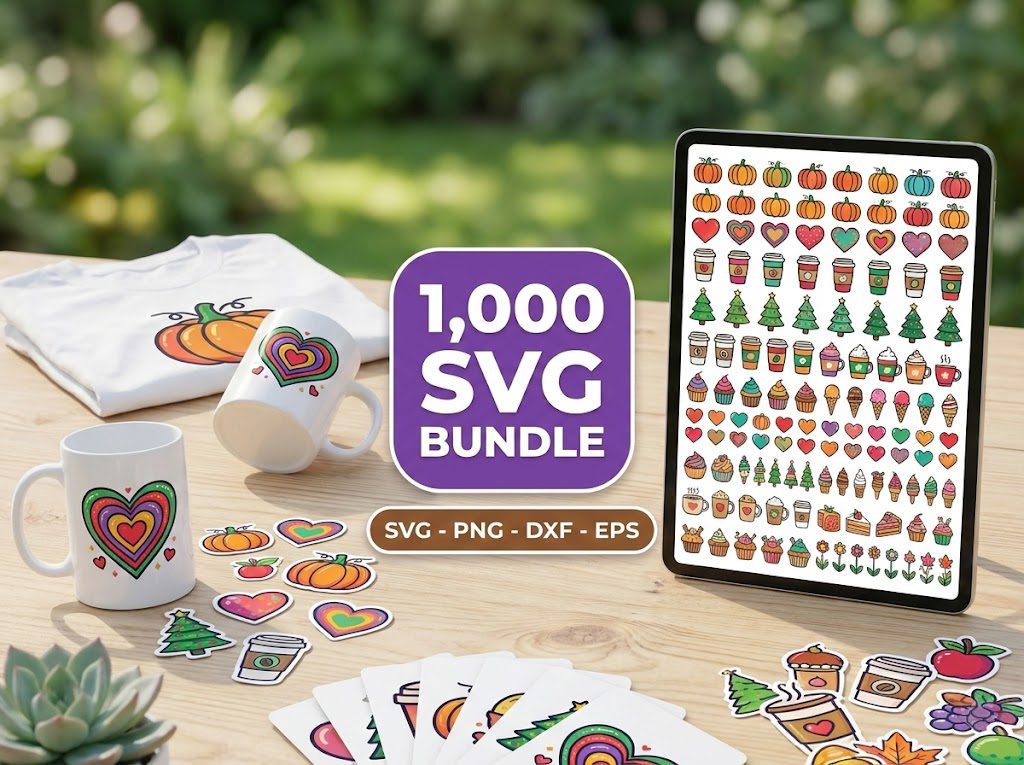
As the leaves start to change and the air turns crisp, it’s time to embrace all things fall! I remember the first time I tried to create a fall-themed decor piece with my Cricut machine. I struggled to find the perfect design that captured the warmth of autumn. After a few failed attempts, I discovered the treasure trove of Fall SVG cut files available online. My crafting journey blossomed from that point, and I can’t wait to share my insights with you!
Why Fall SVG Cut Files Are Perfect for Your Projects
Fall is a season rich with colors, themes, and symbols that inspire creativity. The right Fall SVG cut files can help you craft beautiful items for your home, gifts, or even your Etsy shop. Here are a few reasons to love these designs:
- Versatility: Fall SVG files can be used for various projects, including t-shirts, mugs, home decor, and more.
- Easy to Customize: You can change colors and sizes to suit your project’s needs.
- Perfect for Seasonal Decor: Use these files to create eye-catching autumn-themed decorations.
How to Choose the Right Fall SVG Cut Files
When selecting Fall SVG cut files, consider the following:
- Project Type: Think about what you’re making. Is it a greeting card, a t-shirt, or home decor? Different designs will suit different projects.
- File Format: Ensure the files include formats compatible with your cutting machine, such as SVG, PNG, DXF, and JPG.
- Complexity: Some designs are intricate and may require more weeding time. Choose simpler designs for beginners or time-sensitive projects.
Step 1: Finding Quality Fall SVG Cut Files
To start, you want to ensure you’re looking at reputable sources for your Fall SVG cut files. Here are a few tips:
- Check user ratings — a high rating often reflects quality.
- Look for shops that offer commercial use licenses if you plan to sell finished products.
Step 2: Downloading Your Fall SVG Cut Files
Once you’ve found the perfect files, downloading them is straightforward. Simply click the download link, and the files will be available on your device for use.
- Ensure your internet connection is stable to avoid interruptions.
- Check for any zip file downloads and extract them before use.
Step 3: Preparing Your Cutting Machine
Before you start cutting, make sure your machine is ready:
- Update your cutting software to the latest version.
- Select the correct material settings based on your chosen medium (e.g., vinyl, cardstock).
Step 4: Cutting and Weeding Your Design
Now the fun begins! Load your material into your machine and start cutting your Fall SVG cut files. After cutting:
- Carefully weed out the excess material to reveal your design.
- Use a weeding tool for detailed areas to avoid tearing.
Creative Project Ideas for Fall SVG Cut Files
Now that you have your files and know how to use them, let’s explore some creative project ideas:
- Home Decor: Create seasonal signs, table centerpieces, or wall art using your Fall SVG cut files.
- Apparel: Design custom t-shirts or hoodies for family gatherings or fall festivals.
- Gifts: Make personalized mugs or tote bags for friends and family.
- Parties: Use SVGs to create unique invitations or decorations for fall-themed parties.
Commercial Use Licensing for Fall SVG Cut Files
If you’re considering selling items made with Fall SVG cut files, understanding licensing is crucial:
- Always check if the SVG files come with a commercial use license. This allows you to sell the products you create.
- Some designers may require attribution or have restrictions on how many items you can sell.
- When in doubt, reach out to the seller for clarification on usage rights.
500,000+ Ultimate SVG Mega Bundle
Only $29.99
4.96/5 stars from 26 reviews — the most complete SVG library for Cricut crafters. Just $0.000059 per file.
4000+ Magical Mega SVG Bundle
Only $7.99
5.00/5 stars — 4,000+ designs for just $0.002 per file.
🎁 Get FREE Designs Today!
Perfect for testing with your Cricut or Silhouette machine before committing to a paid bundle.
Frequently Asked Questions
Are Fall SVG cut files compatible with both Cricut and Silhouette machines?
Yes, most Fall SVG cut files are designed to work seamlessly with both Cricut and Silhouette machines. Just ensure you download the correct file format.
Can I use Fall SVG cut files for commercial projects?
Many sellers offer commercial use licenses, allowing you to sell items made with their designs. Always check the licensing terms before use.
What materials can I use with Fall SVG cut files?
You can use various materials, including vinyl, cardstock, and heat transfer vinyl (HTV), depending on your project needs.
How do I download the SVG files?
Simply click on the download link provided on the product page, and the files will be saved to your device.
Can I customize the Fall SVG cut files?
Absolutely! You can change colors, sizes, and even combine designs to create something uniquely yours.