

Blog
Top 10 Fall SVG Cut Files for Cricut and Silhouette Crafts

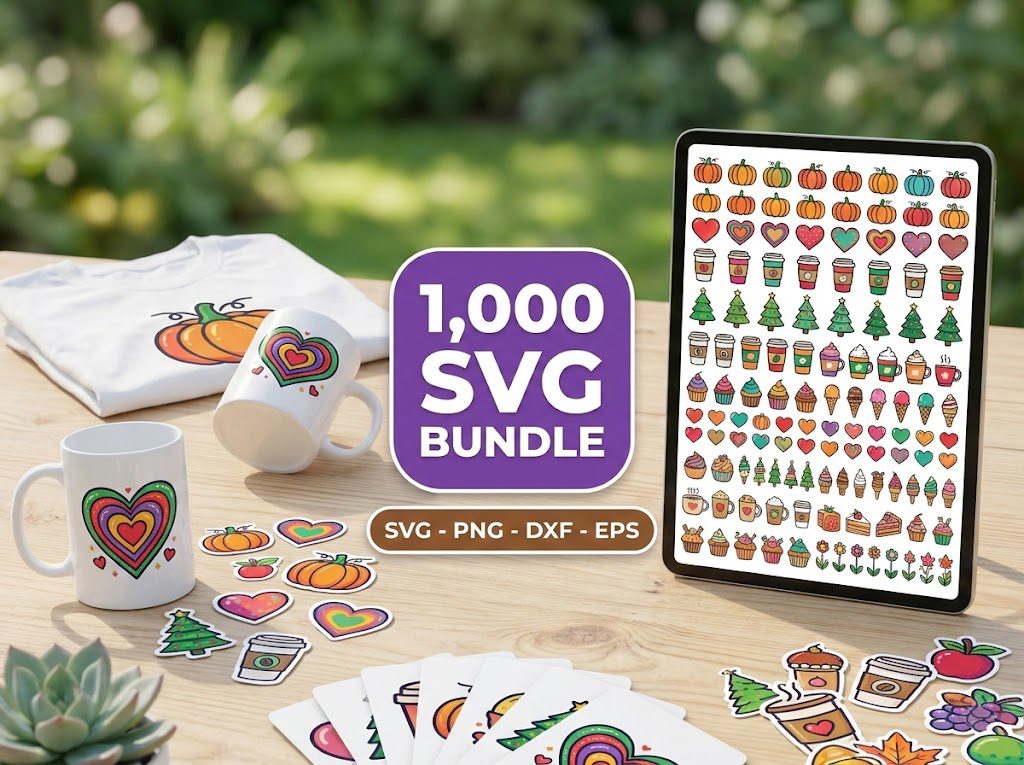
As the leaves begin to change and the air turns crisp, many crafters find themselves on the hunt for the perfect Fall SVG cut files. I remember my first attempt at creating autumn decorations; I struggled to find the right designs that captured the essence of the season. After hours of searching, I finally found some beautiful Fall SVG cut files that transformed my projects from basic to breathtaking. If you’re in the same boat, you’re not alone! Let’s explore some fantastic options that will elevate your crafting this fall.
How to Use Fall SVG Files for Cricut and Silhouette
Using Fall SVG cut files with your Cricut or Silhouette machine can be incredibly rewarding! Here’s a simple guide to get you started:
Step 1: Choose Your Design
Begin by selecting your favorite Fall SVG cut files. Consider designs like leaves, pumpkins, and cozy quotes that resonate with the season.
- Look for files that are rated highly, like those in our SVG files for Cricut collection.
- Check for compatibility with your machine—most Fall SVG cut files will work seamlessly with Cricut and Silhouette.
Step 2: Download Your Files
Once you’ve selected your designs, download the SVG files. Most of our collections offer instant digital downloads, making it easy to get started right away.
- Make sure to unzip the files if they come in a compressed format.
- Keep your files organized in a folder dedicated to Fall SVGs for easy access.
Step 3: Upload to Design Space
Open Cricut Design Space or Silhouette Studio. Upload your SVG files by selecting the upload option and navigating to your saved files.
- Follow the prompts to import your designs correctly.
- Ensure the dimensions are correct for your project; you can resize them within the software.
Step 4: Cut and Assemble
After uploading, set your material type, adjust the settings, and send your design to cut. Once your machine finishes, carefully weed out the excess material.
- Use a weeding tool for intricate designs.
- Assemble your pieces using transfer tape for vinyl or adhere them directly to your crafting surface.
Free Fall SVG Files for Cricut Projects
If you’re looking to experiment with Fall SVG cut files before making a purchase, you’re in luck! There are numerous free SVG downloads available online. These free options are perfect for testing out your Cricut or Silhouette machine.
Some popular free designs include:
- Autumn leaves
- Pumpkin spice latte graphics
- Thanksgiving quotes
These designs can be a great way to practice before investing in larger bundles!
Download Free Fall SVG Files
To download free Fall SVG cut files, visit our freebies section. Here, you can find a selection of seasonal designs that are ready for instant download.
Each design typically comes in SVG, PNG, and other formats, making it versatile for various crafting projects. Be sure to check back regularly as new designs are added weekly!
What’s Included in the Fall SVG Bundle
Our Fall SVG bundles often include a variety of designs that cater to different crafting needs. When you purchase a bundle, you can expect:
- High-quality SVG files for crisp cuts
- Commercial use licenses for small business owners
- A range of designs from simple to intricate
For just $29.99, you can access our 500,000+ Ultimate SVG Mega Bundle which translates to only $0.000059 per file! This is a fantastic way to stock up on seasonal designs.
How to Upload SVG Files to Cricut Design Space
Uploading SVG files to Cricut Design Space is straightforward. Follow these steps:
- Open Cricut Design Space.
- Click on “Upload” in the left-hand menu.
- Select “Upload Image” and then “Browse” to find your SVG file.
- Once uploaded, select the design and click “Insert Images” to add it to your canvas.
Always remember to check your file settings to ensure the best cut quality!
Fall SVG Project Ideas for Home Decor and Gifts
Here are some creative project ideas using Fall SVG cut files:
- Autumn Wreaths: Use SVG files to create beautiful wreaths adorned with leaves and pumpkins.
- Seasonal Wall Art: Make framed prints or canvas art featuring fall quotes.
- Gift Tags: Create personalized gift tags for your autumn gifts.
- Home Decor: Adorn pillows, table runners, and more with vinyl using fall designs.
Each of these projects can be customized to fit your personal style and decor theme!
Personal Use and Commercial Use Notes
When using Fall SVG cut files, it’s essential to understand the licensing terms. Most designs from BundleArtSVG come with a commercial use license, allowing you to sell your finished products. However, always check:
- Whether the license allows commercial use.
- If there’s a limit on the number of items you can sell.
This ensures you stay compliant while enjoying crafting and selling your creations!
SVG File Troubleshooting
Even experienced crafters can face challenges when using Fall SVG cut files. Here are common issues and solutions:
- File Not Importing: Ensure the file is in SVG format. If it’s a ZIP file, unzip it first.
- Design Looks Different: Check the design layers in your cutting software. Some SVGs may have multiple layers that need to be adjusted.
- Cutting Issues: Ensure your blade is sharp and the material settings match the type of material you’re using.
Comparing File Formats: SVG vs PNG vs DXF
When working with digital designs, knowing the differences between file formats is crucial:
- SVG (Scalable Vector Graphics): Best for cutting machines as they can be resized without losing quality.
- PNG (Portable Network Graphics): Ideal for digital projects like web graphics but not suitable for cutting machines.
- DXF (Drawing Exchange Format): Commonly used for CAD applications but can also be uploaded to Cricut Design Space.
For cutting projects, stick with SVG files for the best results!
Project Planning for Fall Crafts
Planning your fall crafting projects can save you time and help optimize your results:
- Sizing: Determine the size of your project beforehand to avoid wasting materials.
- Materials: Gather all necessary materials like vinyl, transfer tape, and surfaces for application.
- Beginner-Friendly Workflows: Start with simple designs and gradually work up to more complex projects to build your skills.
🎁 Get FREE Designs Today!
Perfect for testing with your Cricut or Silhouette machine before committing to a paid bundle.
500,000+ Ultimate SVG Mega Bundle
Only $29.99
4.96/5 stars from 26 reviews — the most complete SVG library for Cricut crafters. Just $0.000059 per file.
4000+ Magical Mega SVG Bundle
Only $7.99
5.00/5 stars — 4,000+ designs for just $0.002 per file.
Frequently Asked Questions
What types of files are included in the Fall SVG bundles?
Our Fall SVG bundles typically include SVG, PNG, and DXF files for versatility in crafting.
Can I use the Fall SVG files for commercial projects?
Yes, most designs come with a commercial use license, but always check the specific licensing terms.
How do I fix issues with my SVG files not importing?
Ensure that the file is in SVG format and that it hasn’t been compressed in a ZIP file. Unzip before uploading.
What materials are best for cutting Fall SVGs?
Vinyl and cardstock are popular choices. Ensure you adjust the blade settings accordingly for different materials.
Where can I find free Fall SVG files?
You can explore our freebies section for a selection of free Fall SVG cut files.