

Blog
Top 10 Fall SVG Cut Files for Cricut & Silhouette Crafts

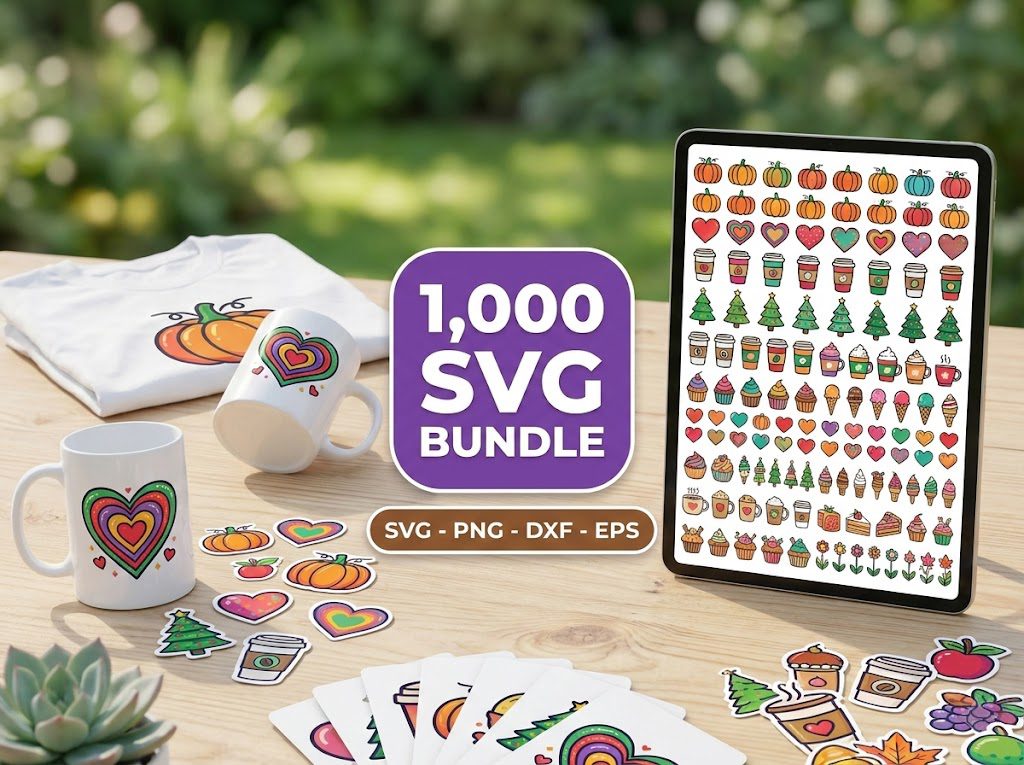
As the leaves turn and the air gets crisp, it’s time to bring out the fall decor! I remember the first time I tried to create autumn-themed crafts, feeling overwhelmed by the variety of fall SVG cut files available. With so many options, it was tough to decide which designs would best suit my projects. If you’ve ever felt that way, you’re not alone! Luckily, we’re here to help you navigate the world of fall SVG cut files, making crafting for the season a breeze.
Step 1: Choosing Your Fall SVG Cut Files
When selecting your fall SVG cut files, consider the projects you want to create. Are you making shirts, home decor, or greeting cards? This will help narrow down your choices. Here are a few tips:
- Look for designs that resonate with your style and the theme of your project.
- Check for files compatible with your machine, whether it’s Cricut or Silhouette.
Step 2: Download and Import Your Files
Once you’ve chosen your fall SVG cut files, the next step is to download and import them into your crafting software. Here’s how:
- Download the SVG file from a trusted source like BundleArtSVG.
- Open your Cricut Design Space or Silhouette Studio.
- Import the SVG file by clicking on the “Upload” option and selecting your downloaded file.
Step 3: Adjusting Settings for Cutting
Before you hit that cut button, make sure your settings are optimized for the material you’re using. Here’s what to do:
- Select the correct material type in your machine’s settings (e.g., cardstock, vinyl).
- Adjust the blade depth and pressure settings according to the material thickness.
Step 4: Cutting and Assembling Your Project
Now that everything is set, it’s time to cut! After cutting, here’s how to assemble your project:
- Carefully weed out any excess material from your design.
- Use transfer tape for vinyl projects to easily apply your design to your surface.
- For layered designs, ensure each layer is aligned properly before adhering.
Top 10 Fall SVG Cut Files
Here are our top picks for fall SVG cut files that you can easily use for your Cricut or Silhouette projects:
- Autumn Leaves – A beautiful collection of leaves in various shapes and sizes, perfect for home decor.
- Thankful Grateful Blessed – A popular phrase that resonates during Thanksgiving.
- Pumpkin Spice Everything – Ideal for cozy fall shirts and mugs.
- Fall Y’all – A fun design to celebrate the season.
- Harvest Blessings – Perfect for table decor or wall art.
- Scarecrow Silhouette – Great for Halloween-themed crafts.
- Acorns and Oak Leaves – A classic representation of fall.
- Hot Cocoa and Chill – Perfect for winter prep as well!
- Apple Picking – Celebrate the fall harvest with this design.
- Give Thanks – A simple yet beautiful sentiment for the season.
Free Fall SVG Files for Cricut Projects
Looking for a way to try out your crafting skills without spending any money? Here are some great sources for free fall SVG files:
- BundleArtSVG Freebies – Regularly updated with new designs perfect for fall.
- Design Bundles – Offers a selection of free SVG files during seasonal promotions.
- Craft Bundles – Keep an eye out for their freebie offerings as well!
Commercial Intent Comparison
When choosing fall SVG cut files, consider your intended use. If you’re a seller on Etsy or at local craft fairs, look for files with commercial use licenses. Here’s a quick comparison:
| File Source | License Type | Price |
|---|---|---|
| BundleArtSVG | Commercial Use Included | Varies |
| Creative Market | Commercial Use Available for Purchase | Varies |
| Freepik | Free with Attribution | Free |
Troubleshooting SVG Issues
Even experienced crafters run into issues with SVG files. Here are common problems and how to troubleshoot:
- Problem: SVG file won’t import.
- Solution: Ensure the file is not corrupted and is saved in the correct format.
- Problem: Design cuts poorly.
- Solution: Check your blade settings and material type.
- Problem: Layers won’t align.
- Solution: Use registration marks for precise placement.
SEO-Focused Design Guidance
When creating or selecting fall SVG cut files, consider these SEO-focused tips:
- Use seasonal keywords in your file names to improve search visibility.
- Organize your bundles by themes or projects for easier navigation.
- Label your SVGs clearly for potential buyers, especially for Etsy listings.
🎁 Get FREE Designs Today!
Perfect for testing with your Cricut or Silhouette machine before committing to a paid bundle.
500,000+ Ultimate SVG Mega Bundle
Only $29.99
4.96/5 stars from 26 reviews — the most complete SVG library for Cricut crafters. Just $0.000059 per file.
4000+ Magical Mega SVG Bundle
Only $7.99
5.00/5 stars — 4,000+ designs for just $0.002 per file.
Frequently Asked Questions
What are fall SVG cut files?
Fall SVG cut files are digital designs that you can use with cutting machines like Cricut or Silhouette to create autumn-themed crafts.
Where can I find free fall SVG cut files?
You can find free fall SVG cut files on websites like BundleArtSVG, Design Bundles, and Craft Bundles.
Can I use fall SVG cut files for commercial projects?
It depends on the license. Always check the licensing terms before using any file for commercial purposes.
How do I troubleshoot issues with SVG files?
Common troubleshooting steps include checking file compatibility, adjusting cutting settings, and ensuring proper file format.
What should I consider when choosing fall SVG files?
Consider your project type, compatibility with your machine, and whether you need commercial use rights for your designs.